I took a bit of a break, but now I’m back. I’m here once again to answer the question that only I am capable of answering: what’s going on with Alex, Volume Three?
How I’m doing
Lately I’ve been fairly busy, both with work and with things outside of work. There have been some slight changes to how we work that I’ve been adapting to, and I’m just trying to both understand them and do my best to embrace them. At first it was a bit overwhelming. I’ve slowly started getting accustomed to them, though, and I feel like I’m doing better. It helps that everyone around me who’s adapting to the same changes has been great and understanding.
Outside of work, I’m working with a client on a mobile app, which is cool! I’m also preparing for my upcoming talk at All Things Open. I’ve given the talk a few times before, but I’m adding some content and making some changes, so there’s still plenty to prepare.
I also feel that I’ve been more social lately. I’ve been going into the office fairly frequently, just because it’s fun to go in and hang out with folks. I’ve even started doing some 3D printing there, which is exciting.
There’s also been more artwork making its way into the home. I love buying artwork from local artists (it makes me feel good which is how I justify continuously buying more). What I don’t understand is why buying frames feels like such a herculean task for me. You might be thinking, “Oh, maybe he just overthinks the type of frame or the color of the frame.” No, no. I’m not coordinated enough to even match a frame to the artwork. For the longest time, I thought it didn’t really matter. Even now, I know that the task of buying a frame is just a quick Amazon order, or a quick trip to Walmart, or a quick trip to my local art supply store. The effort needed to actually buy a frame is not at all difficult when I think about it. It’s quick, it’s easy, it’s so very doable. My brain just treats buying a frame like an odyssey. And then that’s not even getting to the actual hanging of the frame, which is a tiny bit more work, because then I need nails, I need to figure out where to hang it, and I actually have to do it correctly. But do I currently have pictures and picture frames lying around that are literally one step away from being hung up? Yes. Do I know when that’s going to happen? No. My goal is to hang them within the next month. I have to set a fake deadline for myself or I know it will never get done.
All of this is part of a necessary series of things I’m forcing myself to complete prior to going to Japan in November, and I am so, so very excited about that trip! We have some exciting plans and it feels like I am just counting down the days. I genuinely cannot wait!! (Side note: Purchasing tickets to Ghibli Park is quite an experience. Getting good tickets to Ghibli Park is not an enjoyable experience.)


A few cool things
Because I’ve been away for about a month, this section is a little longer than usual. I’ve got four things to talk about: the Busy Bar, the PawSync feeder, the anime Bleach, and HBO’s Lanterns.
The Busy Bar
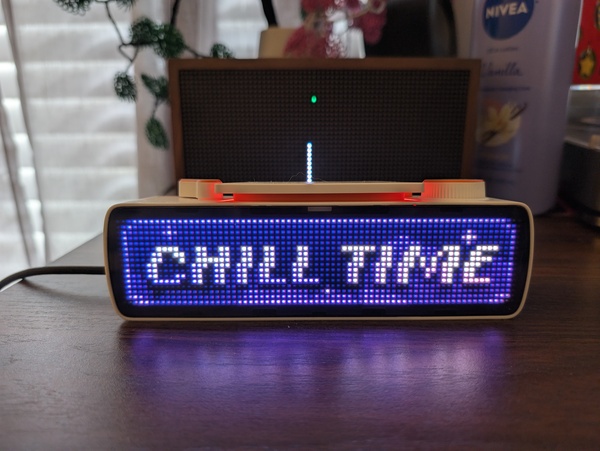
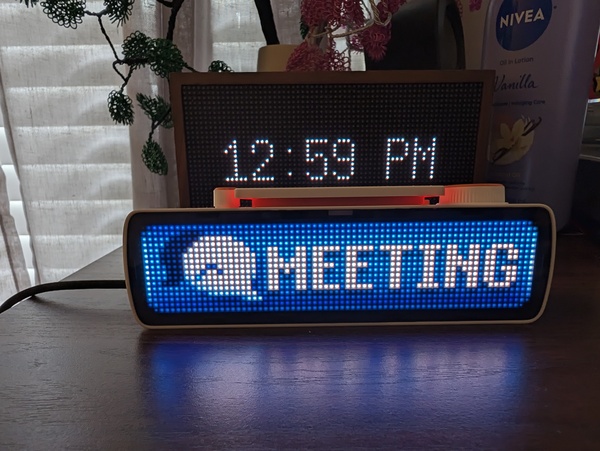
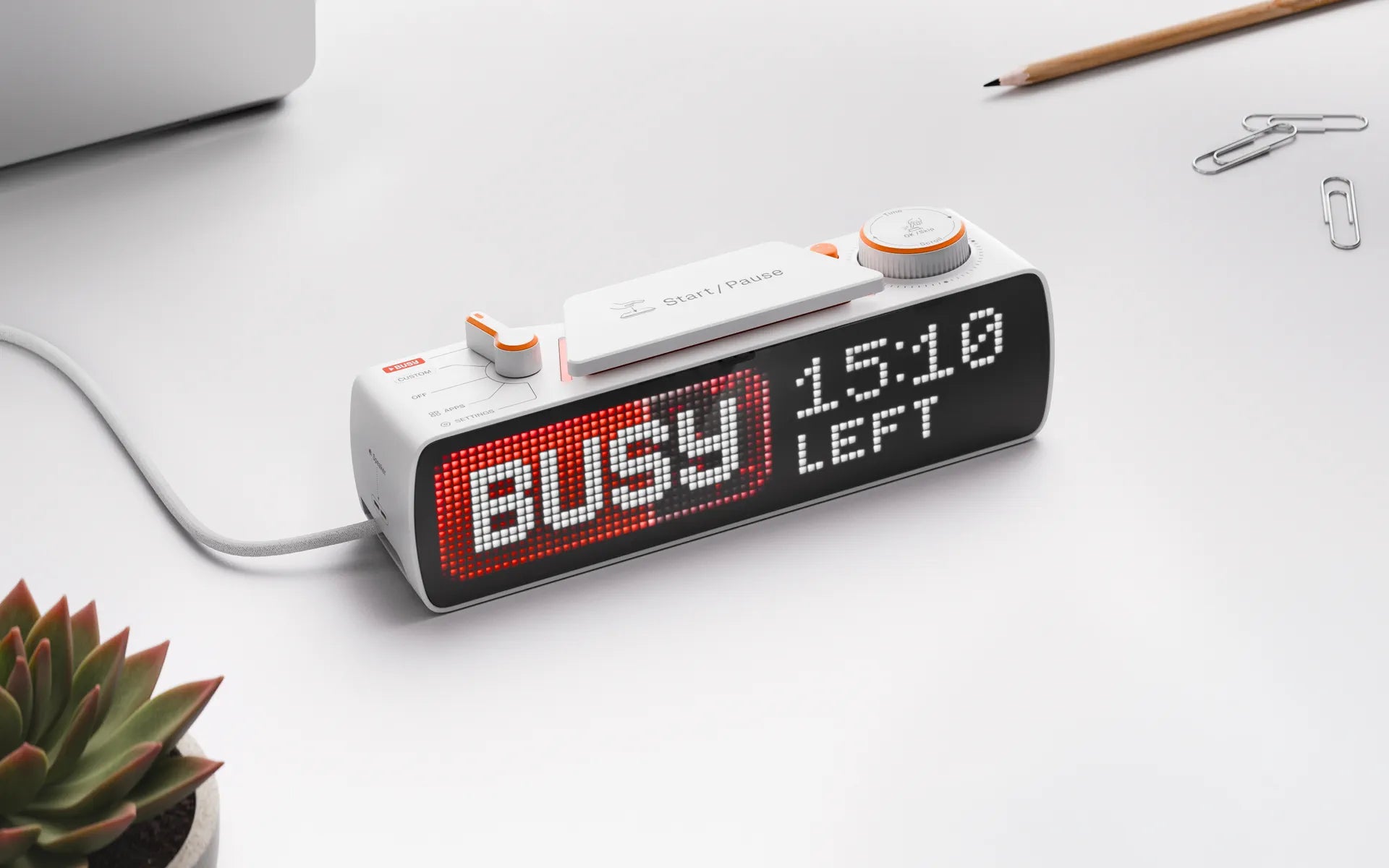
The Busy Bar is a neat little tool from the makers of the Flipper Zero that displays whether or not you’re busy. I’ve actually said for years that something like this would be really helpful when I’m working from home. My work desk is in my basement, and my fiancée isn’t easily able to tell whether I’m in a meeting. I wear earbuds during meetings, so even if it looks like I’m not doing anything, I might just be actively muted and not talking when she comes downstairs.
It’s useful at the office, too. Being able to show people at a distance, “Hey, I’m in a meeting right now” or “I’m in the flow right now” is a really cool thing to be able to do. But if I’m being honest, I think it’s still in its infancy of usefulness.
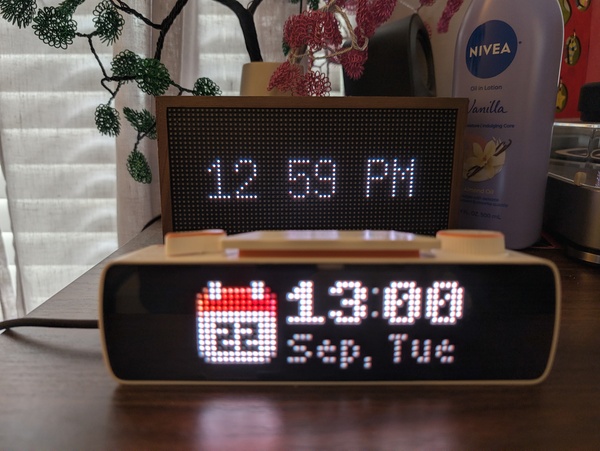
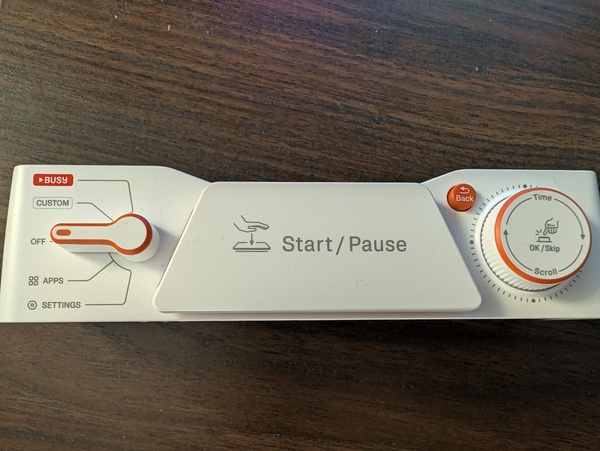
The app is a little tricky to navigate, and it’s not always clear what all the settings and functions mean. Some modes require you to actually flip a little switch on the Busy Bar to switch between them, so changing modes takes an intentional action. That’s a little tricky when I want to swap between an app, the busy status, and a custom mode.
The developer API, on the other hand, seems pretty fleshed out. I’m well within my rights to just go create my own little apps for it, and I’ve actually started trying to create a letterboxd app (because why not?!).
Overall, I don’t quite think that the Busy Bar is something I’d recommend everyone run out and buy right now. I’d wait a couple of months while the team adds more integrations and more apps. In the future it’ll definitely be able to do more things by default. Right now it’s a bit too basic. I mean, ultimately it will let others know whether or not you’re busy (which is primarily what it’s for).

The PawSync feeder
We have a cat named Sokka, based on the Avatar: The Last Airbender character. For almost all of his life, we’ve used an automatic feeder to feed him. It’s been great, it’s been super helpful, it’s been super necessary. Until recently, that was a Petlibro feeder.
Petlibro is, I think, the standard for automatic feeders (at least with smart features). The device was nice. The app itself, though? Rather clunky and frustrating to use at times. But being able to set a feeding schedule from my phone and knowing whether the food came out as expected and on time, that was a nice feature that I realized I needed.
Then came a recent Petlibro server outage. These feeders were claimed to be usable safely offline, but many users, including myself, discovered that truly wasn’t the case. When the feeder went offline because of a server issue, it wasn’t successfully dispatching food at the correct times anymore, presumably because the internal clock got out of sync. And it wasn’t even like a couple of hours of downtime. It was a whole day or two, which was the wild part. It was a really, really bad experience for a lot of people who had trusted this company with the well-being of their pets.
Fortunately, my partner and I were home during the outage, so we switched to manual feeding, which worked out fine for us. But not everyone had the luxury of that option during that outage.
We also had a second reason to reconsider: After a recent vet visit, our vet told us that Sokka needed to lose a little bit of weight. Not that he’s severely overweight or anything, but he was above the recommended weight. We found that our Petlibro feeder wasn’t really accurate with the portions it was dispensing. We had it set to one-twelfth of a cup, the lowest setting, but it dispensed about 20g of food, which was more than we’d expected. So already, that was kind of a lie. The feeder uses a rotating wheel that runs for a preset amount of time to approximate that portion of dry food. Since we needed to control Sokka’s food more carefully, this feeder just wasn’t cutting it.
Manual feeding wasn’t a good long-term answer, either. Sometimes we’re both at the office on the same day, or we’re both away for a weekend, and Sokka gets fed three times a day. We needed the freedom to go do other things without worrying about his feeding.
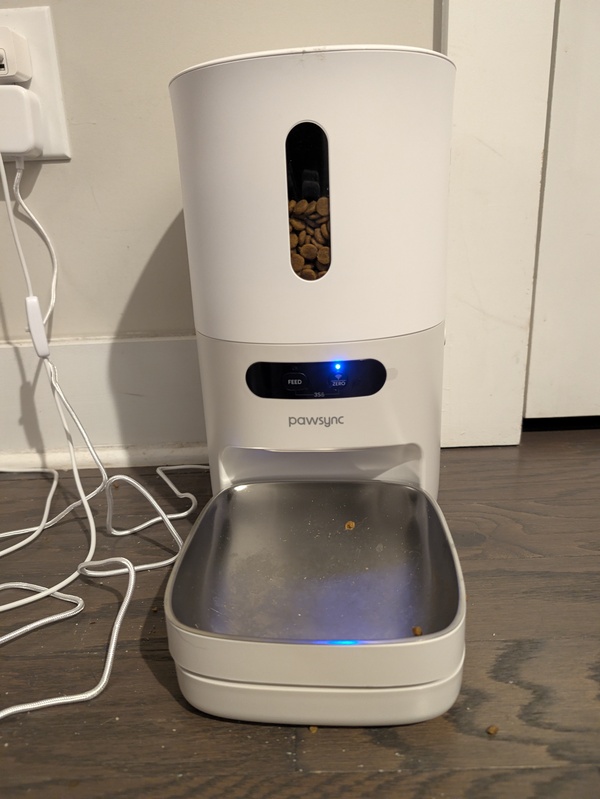
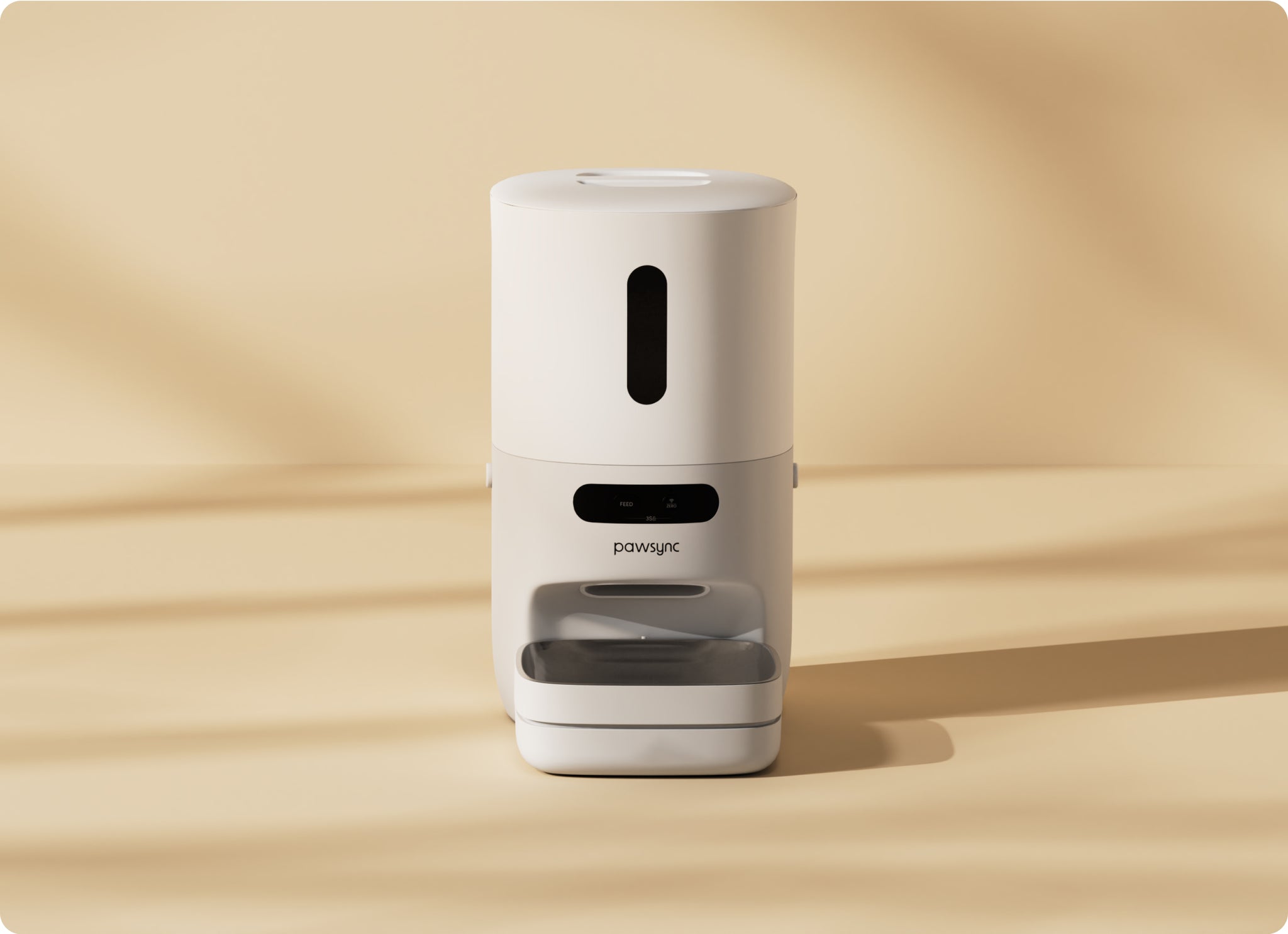
We could have gone with a newer Petlibro product, because some of the newer feeders have built-in scales. But that would still mean dealing with the kinda crappy app and any potential future server issues, which had already made the company feel untrustworthy. So we ended up finding a feeder called the PawSync feeder, and by “we,” I mean my fiancée ended up finding it and told me about it and we bought it. We’ve had it for about 2 weeks now, and man, it’s been amazing!
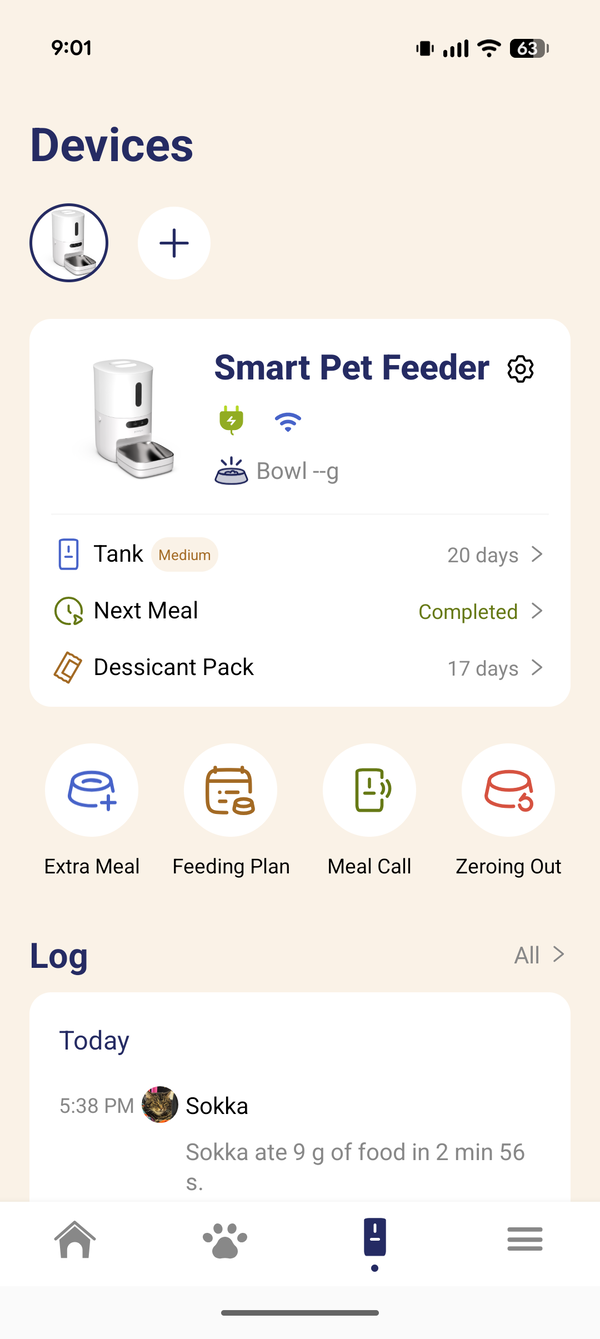
The PawSync feeder has a built-in scale, so it can tell how much food is in the bowl. And this one is different because you calibrate it to the specific dry food. It’s not just guessing based on the number of seconds it rotates. You’re actually calibrating the feeding based on the size and shape of the food. So it can tell how much food is left in the bowl and how much our cat ate after a feeding.
The feeding schedule feature is still there, there are jam notifications, and there are alerts if your pet stops eating or starts displaying abnormal eating behavior, like suddenly deciding he no longer likes his dry food (this has unfortunately happened a couple of times in the past 4 years). And this feeder costs less than $100 and has almost all the same capabilities of a Petlibro feeder that normally runs $200 or $300. The app has been so much easier to use. It’s easier to set up, it looks nicer, and they’re still adding features regularly. We are certainly not regretting switching away from Petlibro.

Bleach and Lanterns
I recently started watching the anime Bleach. It’s not a new anime by any means. It’s actually quite old, but I watched a little bit of it when I was younger and never really understood the storyline. Recently I’ve just been rediscovering some of those childhood anime that I really liked, and I always thought the characters in Bleach were cool.
It also felt like significantly less work to start and catch up on than Naruto, for example, or One Piece, which I will never, ever plan to watch. Bleach has been good so far. It’s had a bit of a slow start, but then again, it came out in the early 2000s, and I feel like anime from that period often worked that way. The characters and their sword abilities are fun to learn about. I’m currently on the Arrancar arc after skipping the entire Bount arc, which I’d heard multiple times was pure filler. Do I already know spoilers for the end of the series? Absolutely. Does that prevent me from watching? Not at all, not in the slightest. It’s still very much enjoyable.
I’m also enjoying HBO’s Lanterns. I’m really digging the show! It follows John Stewart, who’s an apprentice to the current Green Lantern, Hal Jordan, and their dynamic is so fun to watch. I won’t say any spoilers, but there have been some really interesting plot points thus far. Maybe slight spoiler, but I appreciate the actual limited usage of the Green Lantern powers. The show focuses more on the plot than on showing off the ring every other second, and I think that’s the right call. If it were only about cool powers and cool CGI, it would get boring.
At the time I’m writing this, there are two episodes left, and I genuinely cannot predict where the show is going. That’s exciting to me. I’m not even a super huge Green Lantern fan, but this show has made me a lot more interested in the Green Lanterns as an organization and in the individual Green Lanterns as heroes.
The Pebble Index 01 ring
I’ve finally gotten the Pebble Index 01 ring, and it is exactly what I needed. It’s a ring with a button on it. You click it, you talk to it, and it’ll direct your words into an action, whether that action is saving a reminder, invoking an AI agent to do something more complex for you, or even sending a message to a trusted contact. It’s actually breathtaking. The breadth of things you can do with it is just so impressive.
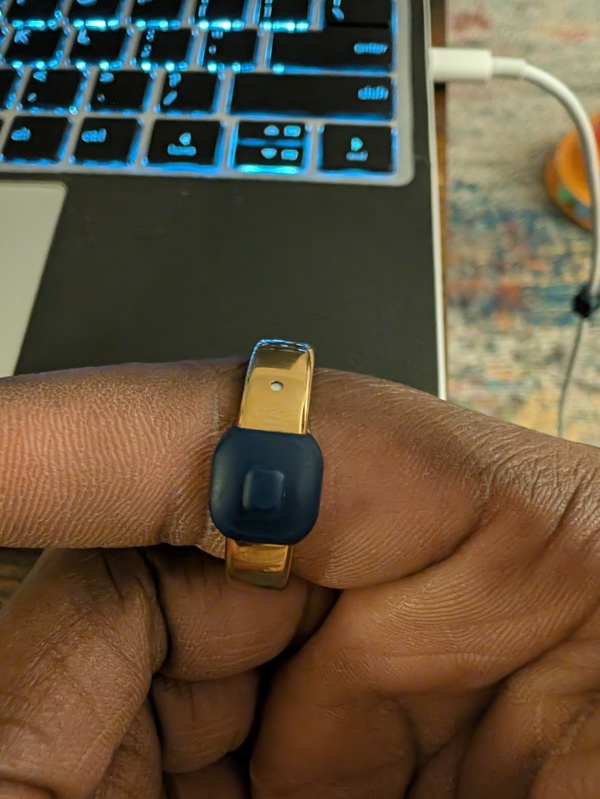
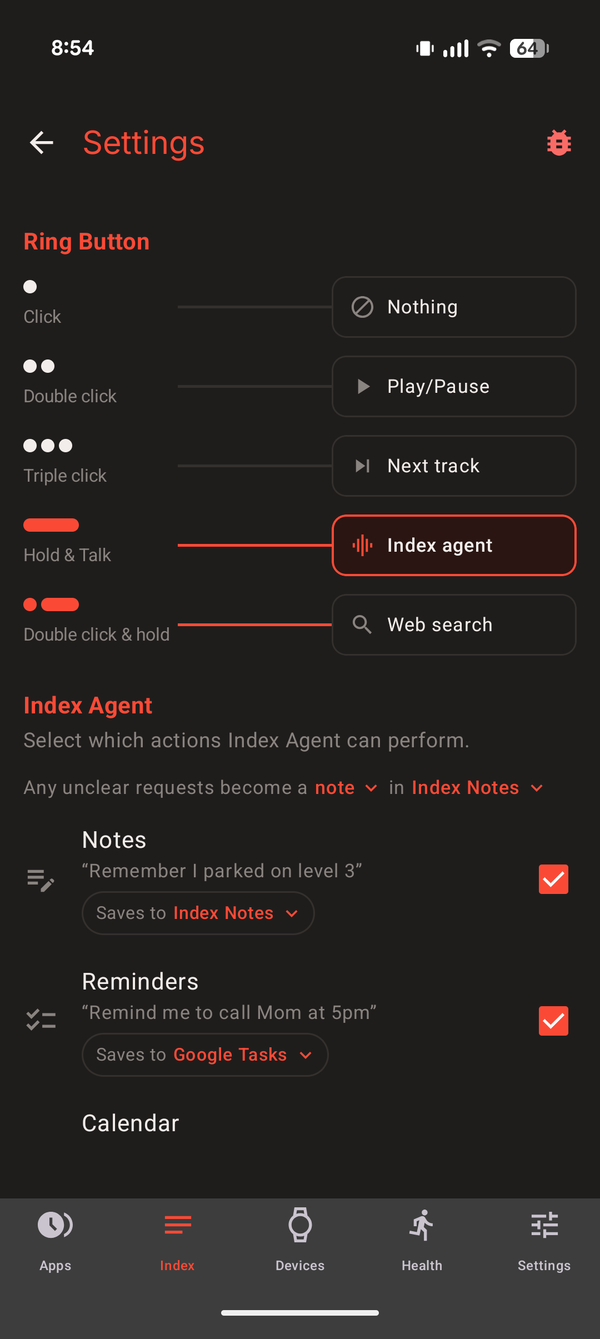
It is extremely, extremely developer-friendly. It integrates with:
- Obsidian
- Notion
- Google Tasks
- Apple Reminders
- Google Calendar
If you don’t use any of those, it has its own built-in to-do and notes system. It’s great. You get the customization you want, but you can also care about privacy if you want that.
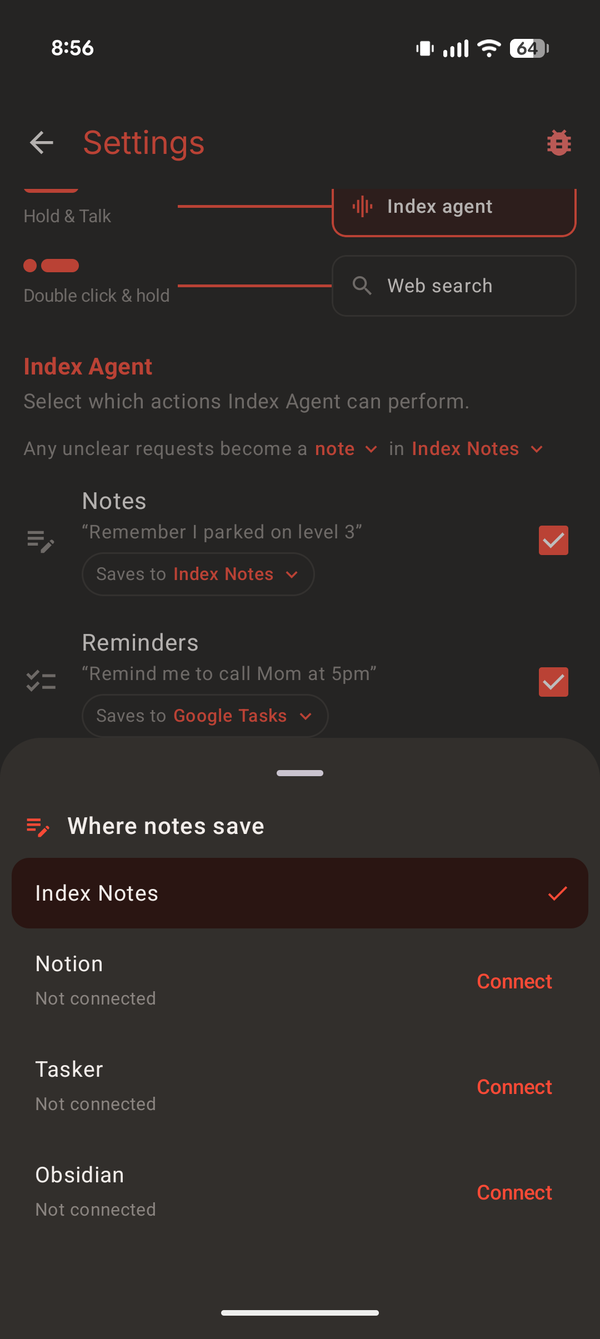
You can also add MCP servers after choosing the AI model you want it to use. The actions are configurable in different ways. By default, a press and hold routes through the regular actions it can do, like setting a to-do or a note. If you double-click, you can invoke a dedicated agent to parse your request and take an action. I can ask it to do a search for me, find me some information, or I’ve set up my Home Assistant MCP with it, so I can tell it to turn devices in my home on and off. I mean, is it like a seven-second wait before it actually takes that action? Yeah. But I’m able to do that from my ring. A simple ring with a button on it.
It can also fire off a webhook if you want to connect it to something else. And it integrates with Beeper, too. If you don’t know about Beeper, it’s a messaging platform that aggregates other messaging platforms into one app. Pebble’s founder originally created Beeper before it was sold to Automattic, the same company that owns Tumblr and WordPress and a bunch of other things. With the Beeper integration, you can predefine people you’d like to message, and then on a basic one-click action, say something like, “Hey, message this person these words,” and it’ll do it.
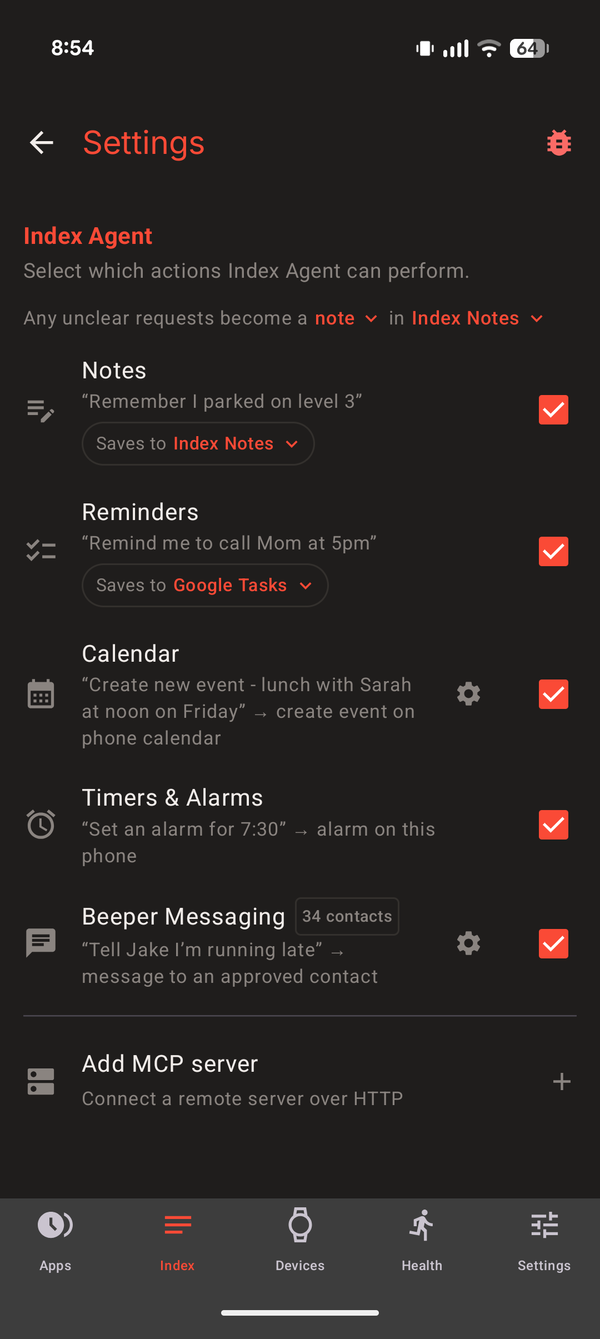
The ring is not a traditional smart ring. It doesn’t track your steps or your heart rate or any of those metrics, and it’s not meant to. It’s essentially a voice recorder for yourself. I can save recordings to the cloud, save them locally, have them automatically backed up. Genuinely, this is exactly what I’ve been wanting for years.
Now I have a super easy device that I can just quickly talk to and capture a thought in the moment. I mean, I still don’t have a good solution for when I have really good shower thoughts, but everywhere else, while I’m driving, while I’m in the middle of a meeting, I can real quick just press the button on my ring, say something to it, and I know it’s captured. It’s awesome.
There are downsides. The battery is built in and not replaceable, so there’s literally a limited number of uses with it. It’s said to definitely last at least a year or two, and the ring itself is only $70. So I guess you’d have to be okay with paying $70 maybe once a year or once a year and a half when this one eventually dies.
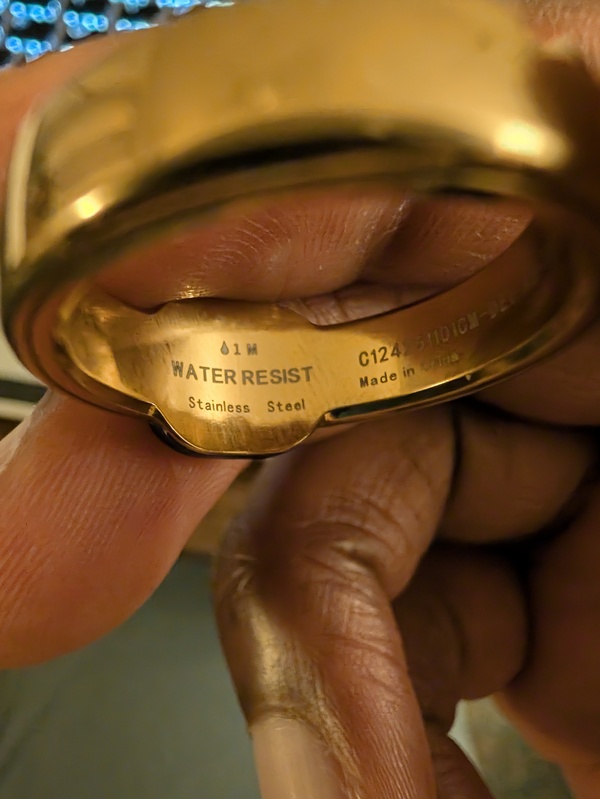
While you are allowed to get the ring wet, the instructions are very explicit about not getting water or dust inside the microphone hole, which is very obviously placed. I’ve been treating it as though it’s not really water- or dust-resistant, just because it feels safer. To be clear, it is rated up to one meter of water resistance, and that is actually inscribed on the ring. I’m just being cautious about the microphone.
I’ve discovered a couple of bugs and submitted bug reports, and the development team has been very responsive, typically getting back to me within like an hour. I truly appreciate that, and I’m excited to see what else they add to this ring.
More than anything, it feels like Pebble as a company wants to make products that you can tinker with. And they’re doing a really good job of it. They’re not your Google, they’re not your Apple, they’re not your Garmin. But for products that you can just nerd out with, that can do a bunch of cool things you never even really knew you wanted to do, Pebble has it. Their audience is very clearly people who are into tinkering, and they capture that market really well.

Wrapping up
I’ve had a lot to share in this post, and that’s mostly because I haven’t been sharing more frequently. I’m going to be better about doing this more frequently, because it’s fun. I’ll be sticking around, so keep reading my silly little thoughts.